



A prospective tenant opens five rental listings during a lunch break. The photos look similar: a kitchen, a living room, and a bedroom. Then one listing includes a short video that moves naturally through the property. Its clear shots and gentle background music make the layout easier to understand. Landlords can create that kind of video without turning every vacant unit into a major production. For a soundtrack matched to the pace of the footage, AI Song offers a way to generate music from a description of the desired style and mood. The stronger starting point, however, is knowing what renters need to see.
Start With the Questions a Renter Is Already Asking
A property tour should answer questions that static photos leave open. Can a dining table fit beside the kitchen? Does the bedroom connect directly to the bathroom? How much natural light reaches the living area? Film the answers instead of assembling random attractive shots.
Before picking up a phone, write down the three features most likely to matter to the intended renter. For a small apartment, those might be the usable floor area, storage, and access to a balcony. For a family rental, show how the kitchen connects to shared living spaces. Keep the camera at a consistent height and move slowly enough to let viewers understand each transition.
Avoid staging that hides important conditions. Avoid distorted shots that make rooms appear larger. Show the actual flooring, windows, and fixtures. Good video marketing begins with an accurate impression of the home.
Build a Tour Around Four Short Scenes
A simple shot plan prevents the video from becoming a shaky walk through every corner. The following structure works as a starting point for a compact rental tour; adjust the timing to suit the property.
1. Open With the Most Useful View
Start in the living room or at the entrance to an open-plan space. Hold the first shot steady before moving. Show unusual features early. Resist opening with a long exterior logo or an unrelated neighborhood montage. The viewer clicked to inspect a home.
2. Show How Rooms Connect
Use a short movement from the living area toward the kitchen or hallway. An ordinary doorway can tell renters more about the floor plan than another close-up of decorative cushions. For cramped layouts, record separate steady shots rather than squeezing through a narrow corridor with the camera running.
3. Include One Practical Detail
Choose something that may influence a viewing request: a closet, laundry area, parking arrangement, or countertop workspace. Film it in context. A close-up of a closet door is less useful than a shot that shows where the closet sits relative to the bedroom.
4. Finish With the Next Action
End with the property's most recognizable angle and a concise on-screen instruction, such as “See full details and schedule a viewing.” Include the listing address or approved contact route in the accompanying description. Keep the final frame visible long enough to read without replaying it.
Choose Music That Supports the Property
Match the Property’s Pace
Background music can give disconnected clips a common rhythm. A quiet acoustic or light instrumental track may suit a bright, calm apartment. An energetic beat might work for a short tour aimed at an audience interested in a lively neighborhood. Neither choice should overpower useful information.
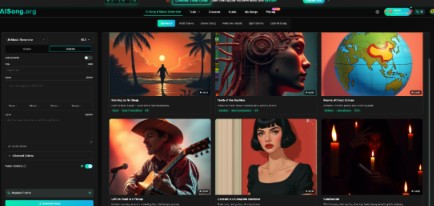
With an AI Music Generator, a listing creator can describe the intended mood and genre, then listen for a track that fits the video. AISong's generation interface also includes an instrumental option, which is particularly practical when viewers need to concentrate on room labels or spoken narration.
Try a prompt such as: “Warm, understated acoustic instrumental, gentle pulse, welcoming daytime mood, no dramatic transitions, suitable for a short apartment walkthrough.” This describes the desired sound rather than promising a specific result. Listen to the generated piece before choosing an excerpt in your video editor.
Make Room for the Important Information
The best music is often barely noticed. If viewers remember a loud chorus but cannot recall where the bathroom is, the audio is doing too much work.
Edit for Clarity Before You Edit for Style
Most phones capture enough visual detail for an informative tour when lighting is reasonable. What tends to cause trouble is uneven pacing. One room gets twenty seconds, another gets two, and the final shot cuts off mid-movement.
First arrange the footage without music. Remove long pauses, accidental camera swings, and repeated angles. Check that the property still makes sense to somebody unfamiliar with its layout. Only then add a soundtrack and trim it to the finished sequence.
Use simple cuts rather than dramatic zooms between every room. Add text sparingly: “Two bedrooms,” “In-unit laundry,” or another verified feature can help a silent viewer. Do not place important details solely in the audio because many people browse property listings with sound off.
For spoken tours, lower background music beneath narration and check the mix through ordinary phone speakers. If the narration is difficult to understand, simplify the soundtrack or remove it from that section. Test the video with captions visible, too.
Make the Video Accurate, Accessible, and Easy to Reuse
Before publishing, compare the edited tour against the current listing. A video filmed before repairs or furniture changes can create confusion. If a parking space, appliance, or outdoor area is not included with the lease, avoid implying that it is. Keep statements about amenities consistent across the video, listing copy, and showing instructions.
Before publishing, check:
Can someone understand the room sequence without hearing the music?
Are the important features visible long enough to inspect?
Does every text label match the property's actual condition?
Is the contact action clear and appropriate for the listing?
Have you checked the terms for any music used in public marketing?
For a portfolio of rentals, keep a basic shot checklist and an editing project that you can duplicate. Replace the footage and on-screen facts for each unit. The same format saves planning effort without making different homes look interchangeable. Maintain your original clips so an outdated section can be replaced without recording the entire tour again.
Measure Interest Without Pretending Views Equal Leases
A listing video is useful only when it helps qualified renters understand the property. View counts alone do not show that. Compare the questions viewers ask before and after seeing the tour. Are people still confused about the layout? Do they request photos of areas missing from the footage? Those questions point toward useful edits.
Track video engagement when the publishing platform supplies it, alongside inquiries and scheduled viewings. Avoid attributing every change to the soundtrack or the video itself; rental price, location, season, and listing exposure also matter. A practical improvement may be as small as adding a clearer kitchen-to-living-room transition.
It can help to ask a colleague who has never visited the unit to watch once and sketch the rough layout. If they cannot tell which rooms connect, the sequencing needs work. That test is more informative than asking whether the video looks cinematic.
Conclusion
A convincing rental tour makes a home easier to evaluate before someone schedules an appointment. Begin with the questions renters are likely to ask, record a few steady scenes, and preserve the real layout in the edit. Add restrained background music only after the pictures and labels tell a complete story. Finally, check factual accuracy, accessibility, and the next step shown to viewers. A repeatable filming plan can help property managers improve future listings while respecting what makes each home distinct. For the next vacancy, try filming one concise tour and ask an unfamiliar viewer what they learned from it.